
 David Joseph
Did you know that phantom energy use can cost nearly 10% of your electricity bill? Many items in your home still use power even when they seem off. Using a smart plug can help cut down on this waste and control your energy use better.
Upgrading your home should be easy and rewarding. This guide will help you choose the right smart home device. We’ll make it simple to turn your appliances into smart, automated systems.
Key Takeaways
- Identify your specific energy-saving goals before purchasing.
- Check for compatibility with your existing voice assistants.
- Prioritize models that offer detailed energy monitoring features.
- Ensure the hardware supports your home’s Wi-Fi frequency.
- Consider the physical size to avoid blocking adjacent outlets.
- Look for robust security protocols to protect your network.
What is a Smart Plug?
A smart plug connects your old electronics to a smart, automated life. It lets you control power to your devices from anywhere. Want to start your coffee maker or turn off a lamp from another room? This tech gives you the power to do it.
Define Smart Plug Technology
A smart plug is a small device that fits into your wall outlet. It turns any regular electronic into a smart home device. There are two main types:
- Plug-in modules: These are easy to use, just plug them into a socket.
- In-wall units: These need a pro to install and are wired into your home’s electrical system.
Most smart plugs are wifi-enabled, letting them talk to your home network. This lets you control your devices from anywhere.
How Smart Plugs Work
Smart plugs work through digital communication. After you plug it in, it connects to your network via an app. This app is your main control for your smart home device.
When you send a command from your phone or voice assistant, the wifi-enabled plug gets the signal. It then turns the power on or off for your appliance. This makes automating your life easy without changing your electronics.
Benefits of Using Smart Plugs
Adding a wifi-enabled plug to your home is easy and modernizes it. These small devices connect your appliances to your phone. This lets you control them in ways you never could before. Learning about the smart plug benefits can change your daily life.
Energy Efficiency and Cost Savings
Many devices use power even when turned off, known as “vampire energy.” An energy-saving plug stops this. It cuts power to devices when not in use, saving electricity and money.
Mobile apps let us see which appliances use the most energy. We can set them to turn off at certain times. This saves power when we’re not home or sleeping.
Increased Convenience and Control
The main perk of a smart plug is controlling devices from anywhere. You can check if your coffee maker is off or lights are on, no matter where you are. This gives you peace of mind and makes your home work for you.
- Remote access: Control devices via your smartphone from any location.
- Scheduling: Set timers to turn appliances on or off at specific times.
- Real-time status: Check if a device is currently drawing power with a single tap.
Home Automation Capabilities
A home automation plug lets us create complex routines. We can link devices to turn on when we arrive or at set times. For example, your lamps can turn on as you enter, welcoming you without effort.
Adding a smart home device to your setup opens up many possibilities. You can control a whole room with one command. This makes your home more responsive and connected, turning it into a smart environment.
Features to Consider When Buying
Choosing the right wifi-enabled plug is all about its features. Before you buy, check how it fits with your current setup. Knowing these smart plug features helps you make a good choice and be happy with your purchase.
Smart Home Compatibility
First, make sure it works with your compatible smart plug ecosystem. Check if it’s compatible with Apple HomeKit, Samsung SmartThings, or others. A good smart home device connects your appliances to your central control smoothly.
Voice Assistant Integration
Look for a voice-controlled smart plug to make your life easier. It lets you control lights and gadgets with voice commands through Amazon Alexa or Google Assistant. This way, you’re ready for the future with your home automation plug.
App Functionality
The smart plug app is your main tool. It should have an easy-to-use dashboard for scheduling, tracking energy use, and remote access. A great smart plug app lets you control your devices easily, no matter where you are.
Top Smart Plug Brands to Consider
We’ve looked at the market to find the best brands for your smart home. Choosing a trusted brand means your smart plug will work well for a long time.
TP-Link
TP-Link is known for its Kasa products. These are praised for their compact design and strong smart plug app support.
Many like this brand for its easy setup of smart home devices. The devices are reliable, making it a top pick for those who want stability.
Wemo
Wemo is known for its feature-rich hardware. It fits well into any compatible smart plug ecosystem. Their products handle modern home automation plug demands easily.
Wemo is great for those who want advanced smart plug features. Their focus on quality makes them a key player in the industry.
Amazon Smart Plug
The Amazon Smart Plug is perfect for Alexa users. It’s easy to use and acts as a great voice-controlled smart plug.
This wifi-enabled plug works right away with your devices. It’s ideal for those who want a simple way to control their electronics.
| Brand | Best For | Key Strength |
|---|---|---|
| TP-Link | General Users | App Reliability |
| Wemo | Advanced Setups | Feature Depth |
| Amazon | Alexa Users | Ease of Use |
Smart Plug Installation Made Easy
We’re here to guide you through setting up your home automation plug. It’s a simple task that doesn’t need special tools or electrical knowledge. Plus, these devices are portable, so you can move them around easily.
Step-by-Step Installation Guide
First, plug your device into a standard wall outlet. Next, download the smart plug app on your phone. This app is your control center for managing your smart home device.
Follow the app’s instructions to connect it to your network. After connecting, name your device and assign it to a room. This makes controlling your voice-controlled smart plug with your digital assistant easier.
Troubleshooting Common Issues
Even with a compatible smart plug ecosystem, you might face some connectivity issues. Most problems come from network interference or outdated firmware. If your device won’t respond, check if your router is on 2.4GHz frequency. Many smart devices need this band.
If you still have trouble, try a factory reset. Hold the power button for a few seconds until the light flashes. Looking at your app’s smart plug features can also help find the problem.
| Issue | Likely Cause | Recommended Fix |
|---|---|---|
| Device Offline | Weak Wi-Fi Signal | Move closer to router |
| App Not Syncing | Outdated Firmware | Update app and device |
| Setup Failure | Wrong Frequency | Use 2.4GHz network |
| Unresponsive Plug | Internal Error | Perform factory reset |
Smart Home Compatibility
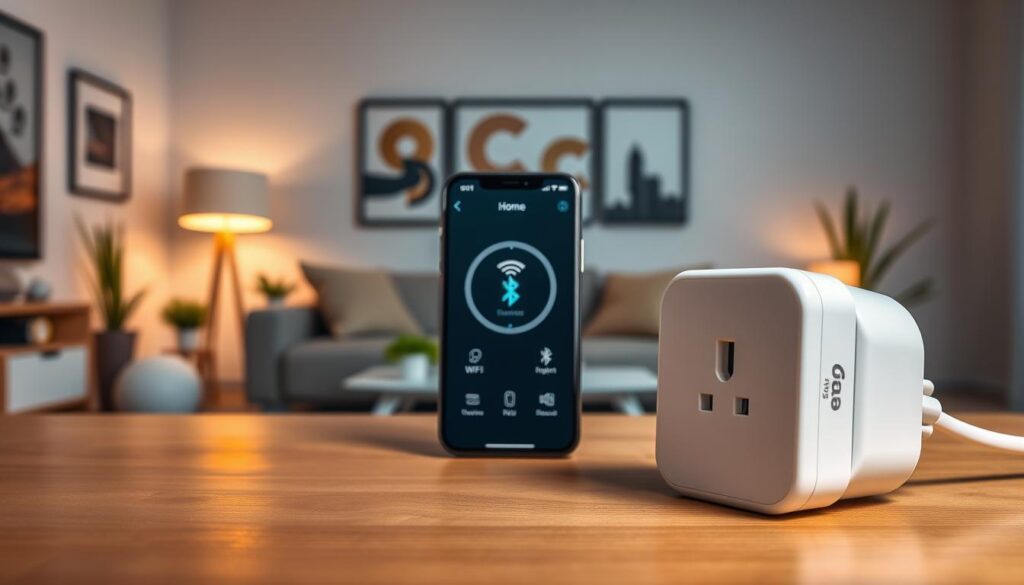
Creating a smart home means making sure all your devices work well together. When you pick a smart plug, it must fit perfectly with your current setup. A good compatible smart plug ecosystem makes your daily life easier.
Integration with Popular Ecosystems
Today’s devices often work with many platforms, like Amazon Alexa and Google Home. A wifi-enabled plug can connect your non-smart appliances to a smart plug app. This is key for growing your home automation plug collection.
The Matter standard is changing the smart home world. It lets different brands talk to each other easily. This makes buying smart home devices simpler.
Ecosystems: Apple HomeKit vs. Google Home
Apple HomeKit is picky because of its strong security. If you use Apple products, make sure your voice-controlled smart plug is certified for Apple Home. Google Home, on the other hand, supports more devices but might cost less.
Choosing between Apple and Google depends on what you like more. The table below shows the main differences to help you decide.
| Feature | Apple HomeKit | Google Home |
|---|---|---|
| Setup Complexity | High (Strict Security) | Low (Plug and Play) |
| Device Variety | Curated Selection | Extensive Range |
| Voice Control | Siri Integration | Google Assistant |
| Automation Logic | Advanced Scenes | Routine Based |
Security and Privacy Concerns
Adding a wifi-enabled plug to our homes means we must focus on digital safety. As we use more technology, keeping our home network safe is crucial. A smart plug is a key entry point to your home, so securing it is key for peace of mind.
Ensuring Secure Connections
Starting a secure smart home device setup begins with your network. Keep your router firmware updated and use strong, unique passwords for all accounts. Isolating your smart home traffic on a guest network adds extra protection against unauthorized access.
Updating your wifi-enabled plug firmware regularly is also vital. Manufacturers often release updates to fix security issues. Here are some best practices for a secure environment:
- Enable two-factor authentication on your smart plug app account.
- Use complex, unique passwords that are not shared with other services.
- Disable remote access features if you only plan to use the device while at home.
Privacy Settings to Consider
We must also think about the data shared through our home automation plug. Many devices collect data to improve performance. But, you should check your compatible smart plug ecosystem privacy settings to limit data collection. Always choose the strictest privacy settings to keep your habits private.
Modern smart plug features include safety measures like overload protection and child locks. These features prevent overheating and ensure safety in homes with young children. By picking a reputable voice-controlled smart plug, you protect both your digital data and your physical home.
Smart Plugs for Different Use Cases
Not all hardware is created equal, and this is true for smart plugs too. The best way to optimize your home automation plug setup is to match the hardware to the task. Whether it’s indoor electronics or outdoor lighting, picking the right model is key for long-term reliability.
For Appliances and Devices
When picking a smart plug for indoor use, consider your appliances’ power needs. Most standard indoor models work well for lamps, fans, and coffee makers. Make sure the power rating matches your appliance’s electrical load.
Many people love using a voice-controlled smart plug for their morning routines. With a smart plug app, you can set devices to turn on or off at specific times. This makes your smart home device more intuitive and responsive to your daily needs.
For Outdoor Usage
Outdoor environments need special equipment. Look for a wifi-enabled plug with a rugged, weather-resistant casing. This protects the internal parts from rain and dust. These models keep a stable connection to your compatible smart plug ecosystem even in harsh weather.
Safety is crucial when using hardware outside. Check for smart plug features like waterproof covers and grounded outlets. Proper installation is vital to avoid short circuits and ensure your outdoor lights or decorations work without issues.
Energy Monitoring Features
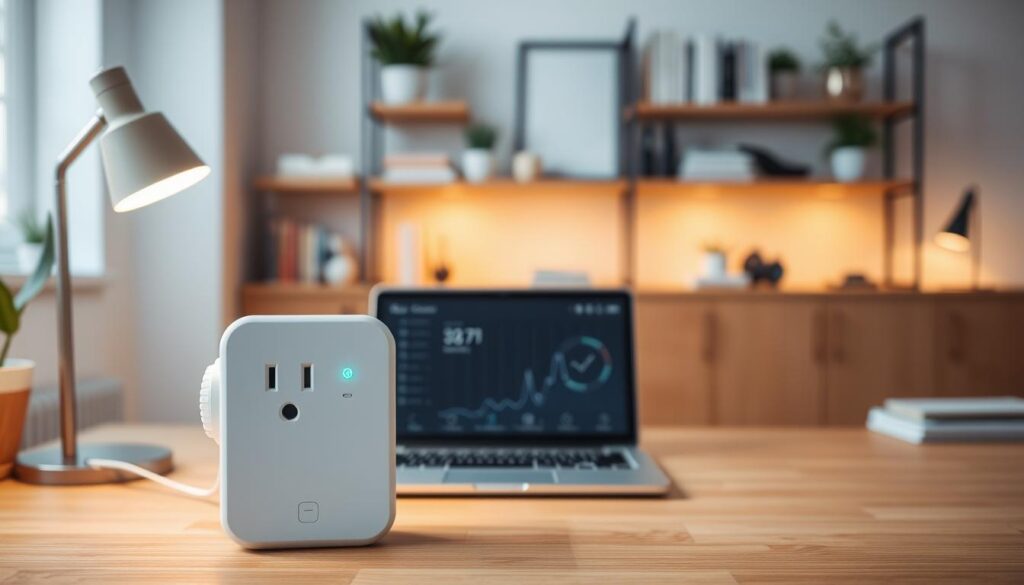
We often overlook how much power our devices consume, but a smart plug can reveal the truth. By integrating this technology into your daily routine, you gain a clear view of your electricity usage. This level of transparency is essential for anyone looking to optimize their home efficiency.
Advantages of Energy Monitoring
The primary benefit of using an energy-saving plug is the ability to identify power-hungry appliances. Many older devices continue to draw electricity even when they appear to be turned off. By tracking these patterns, you can make informed decisions about when to run specific hardware or when it is time to upgrade to a more efficient model.
Further, a voice-controlled smart plug allows you to manage these devices effortlessly. You can set schedules that align with off-peak utility rates, which helps in reducing your monthly expenses. This proactive approach turns a simple smart home device into a powerful tool for financial savings.
Understanding Energy Consumption Reports
Most modern units provide detailed data through a dedicated smart plug app. These reports break down your usage by hour, day, or month, giving you a comprehensive overview of your habits. You can easily spot spikes in consumption and adjust your usage to maintain a greener home.
When you use a home automation plug, the data is often presented in easy-to-read charts. This visual representation makes it simple to compare different devices within your compatible smart plug ecosystem. Understanding these metrics is the first step toward achieving a truly efficient household.
| Feature | Basic Plug | Energy Monitoring Plug |
|---|---|---|
| Remote Control | Yes | Yes |
| Usage Tracking | No | Yes |
| Cost Analysis | No | Yes |
| App Integration | Yes | Yes |
Utilizing these smart plug features ensures that you are not just automating your home, but also optimizing it. Whether you use a wifi-enabled plug for a lamp or a heavy-duty appliance, the insights gained from the smart plug app are invaluable. Start tracking your usage today to see how much you can save.
Pricing: What to Expect When Buying
The cost of a smart plug depends on its features and quality. There’s a wide range of options, from basic to premium. Think about what you need and how much you’re willing to spend.
Budget-Friendly Options
For simple tasks like controlling lamps or fans, look at budget-friendly models. They offer basic functions like remote switching through a smart plug app. They’re a good starting point for home automation.
These plugs are often basic wifi-enabled plugs that connect to your network. You can find them in packs, making them cheaper. They’re great for those who want to start small.
Premium Smart Plugs and Their Features
Premium plugs cost more but offer better materials and features. A voice-controlled smart plug might have power metering. This helps you see which appliances use the most energy.
High-end plugs also work better with other smart devices. They might have surge protection, faster speeds, or more scheduling options. Spending more on these smart plug features can give you more control and peace of mind.
Frequently Asked Questions
Many users often ask us about the best ways to use smart plugs in their daily lives. It’s easy to feel overwhelmed by all the choices out there. We aim to guide you in choosing the right smart home device for a reliable and safe setup.
How Do I Know What Smart Plug Is Right for Me?
Finding the perfect smart plug starts with understanding your needs and current setup. First, check if the plug works with your preferred compatible smart plug ecosystem, like Amazon Alexa or Google Home. This ensures it will work well with your other devices.
It’s also crucial to look at the power ratings of the plug. Not all home automation plugs can handle big appliances like space heaters. Using a plug that’s too small can damage your devices or even cause a fire. Always check the smart plug features to make sure it fits your needs.
Can Smart Plugs Be Used Outdoors?
You might wonder if you can use your voice-controlled smart plug for outdoor tasks like patio lights. Standard plugs aren’t made for outdoor use. They can short circuit and fail in damp or extreme weather.
For outdoor use, you need a plug made for the outdoors. These have weatherproof housing and sealed ports to keep moisture out. Make sure to check the smart plug app to set up your outdoor plug correctly.
| Feature | Indoor Smart Plug | Outdoor Smart Plug |
|---|---|---|
| Weather Resistance | None | IP64 or Higher |
| Primary Use | Lamps, Fans, Chargers | Patio Lights, Sprinklers |
| Housing Material | Standard Plastic | Reinforced/Sealed |
| Safety Rating | Indoor Only | Weatherproof Certified |
Conclusion: Making the Right Choice
Starting to modernize your home begins with picking the right smart device. A good smart plug is key to a smart and efficient home.
Understanding the Value of Automation
Every smart plug has its own benefits that make life easier. You can control your home with a smart plug app on your phone. This turns simple devices like lamps and fans into smart tools.
Selecting Your Ideal Setup
Choose a smart plug system that works well with your current devices. A voice-controlled plug is handy when your hands are full. An energy-saving plug also helps by turning off devices when not in use.
Looking at the features of smart plugs helps you find the best one for your money. These small changes can make a big difference in your life. Start making your home smarter today by picking the right plug for you.